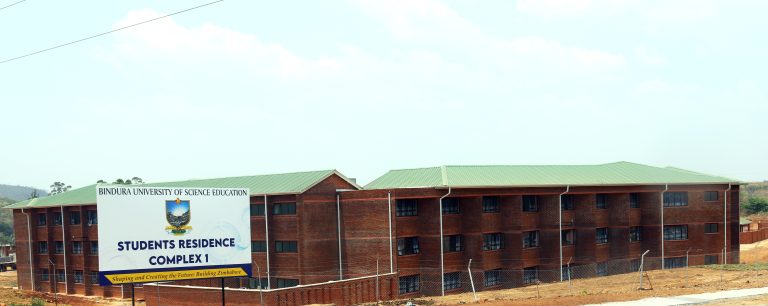
Notice to FSE students - Kadoma Learning Centre Block
Studies will be held at Kadoma Learning Centre (KLC)
2026 Academic Calendar
open. Secure your place.
to serve you.
Innovation Excellence
cosmetics and to create employment for youths.
2026 August Intake Undergraduate and Postgraduate Enrolment still open
Postgraduate Enrolment Advert for your convenience.
January 2026 Second Draft Examinations Timetable
contact your department and get things corrected in time.
BINDURA UNIVERSITY OF SCIENCE EDUCATION - BUSE
Noticeboard - Latest News
-
Registration Notice to Students and Stakeholders17 Mar 2026 -
Notice to FSE students - Kadoma Learning Centre Block12 Mar 2026 -
Bindura University of Science Education 2026 Open Day05 Mar 2026 -
Final Accommodation List Notice to Students for the January to August 2026 Semester26 Feb 2026 -
Accommodation List Notice to Students for the January to August 2026 Semester Â19 Feb 2026 -
Final Accommodation Notice to all Students11 Feb 2026
BINDURA UNIVERSITY OF SCIENCE EDUCATION - BUSE
Frequently Asked Questions
For fees structure please visit this link FEES STRUCTURE WEBPAGE for more information and Fees Invoices can be downloaded from FEE INVOICES WEBPAGE.
We have assigned a team to assist you. Please follow this Certificate Verification Page for more . Make sure you do it in time so that they will process your request in time. Imminent cases usually need calls to the department.
Application process for PhD programs is through the Graduate School of Business. Email gsb@buse.ac.zw and will get assistance.
We are accepting applications for the August 2025 Intake. Feel free to visit the intake advert page to view the programmes on offer.
We have an online platform you can use to apply to BUSE or communicate with our admissions office representatives to get the assistance you need.
If you gate the message, Invalid Login Details but not sure how to recover Click Forgot password option and on email/ Username Field type yourRegnumberWithCapsBs@students.buse.ac.zw and the other details as in your portal.
We have assigned a team to assist you. Please follow this Certificate Verification Page for more . Make sure you do it in time so that they will process your request in time. Imminent cases usually need calls to the department.